Anthropic
Use Claude in your site's AI features, like a support assistant, writing tools or document analysis, with your own Anthropic account. Usage is billed to your Anthropic account.
Connect
- Open Settings > Connectors, click Anthropic, then Connect.
- Go to platform.claude.com/settings/keys and click Create Key.
- Copy the key, paste it into API Key and click Connect.
WebTwizz checks the key with Anthropic before saving it. If Anthropic rejects it, you'll see Invalid API key.
What you see
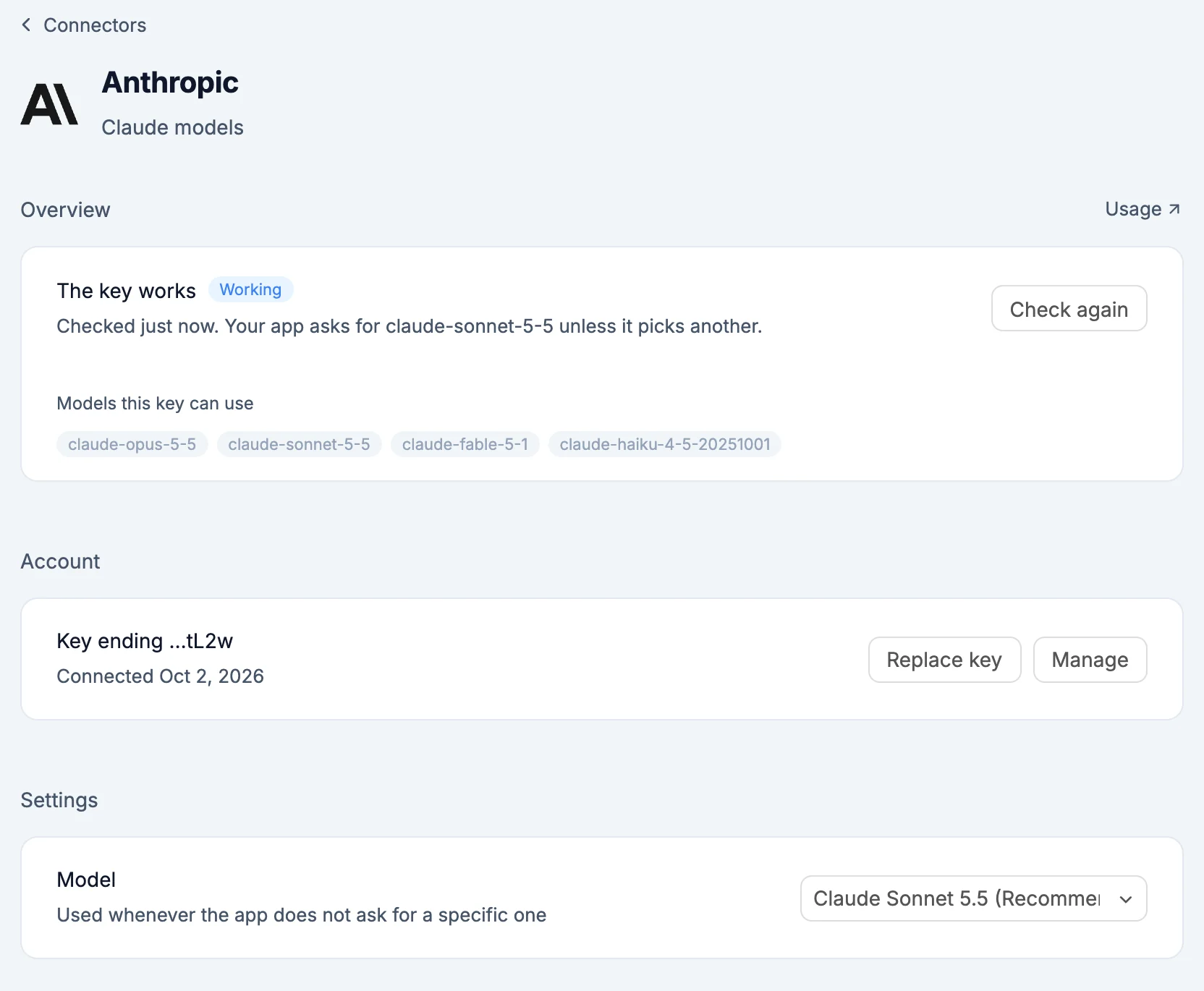
- Overview: The key works with a Working label, checked when you open it. Check again checks it now. Below that, Models this key can use. Usage opens your usage on Anthropic.
- Account: the key, shown by its last four characters, with Replace key.
- Settings: Model, used whenever your app doesn't ask for a specific one. Pick from Claude Sonnet 5.5 (Recommended), Claude Opus 5.5, Claude Fable 5.1 and Claude Haiku 4.5.
What the AI can do
The AI checks that your key works and which models it reaches, then uses those exact model names in your code.
Environment variables
ANTHROPIC_API_KEY: your Anthropic API key, server-side onlyANTHROPIC_MODEL: the default model,claude-sonnet-5-5unless you pick another
Good to know
- Replacing the key under Account switches every project that uses it.
- Removing Anthropic from a project takes both variables out. Your Anthropic account is untouched.