Welcome to WebTwizz
Everything WebTwizz does,explained.
WebTwizz is an AI web app builder. Describe what you want, refine it visually, and publish it as a real web app. You don't need to know how to code. If you do, nothing is hidden from you.
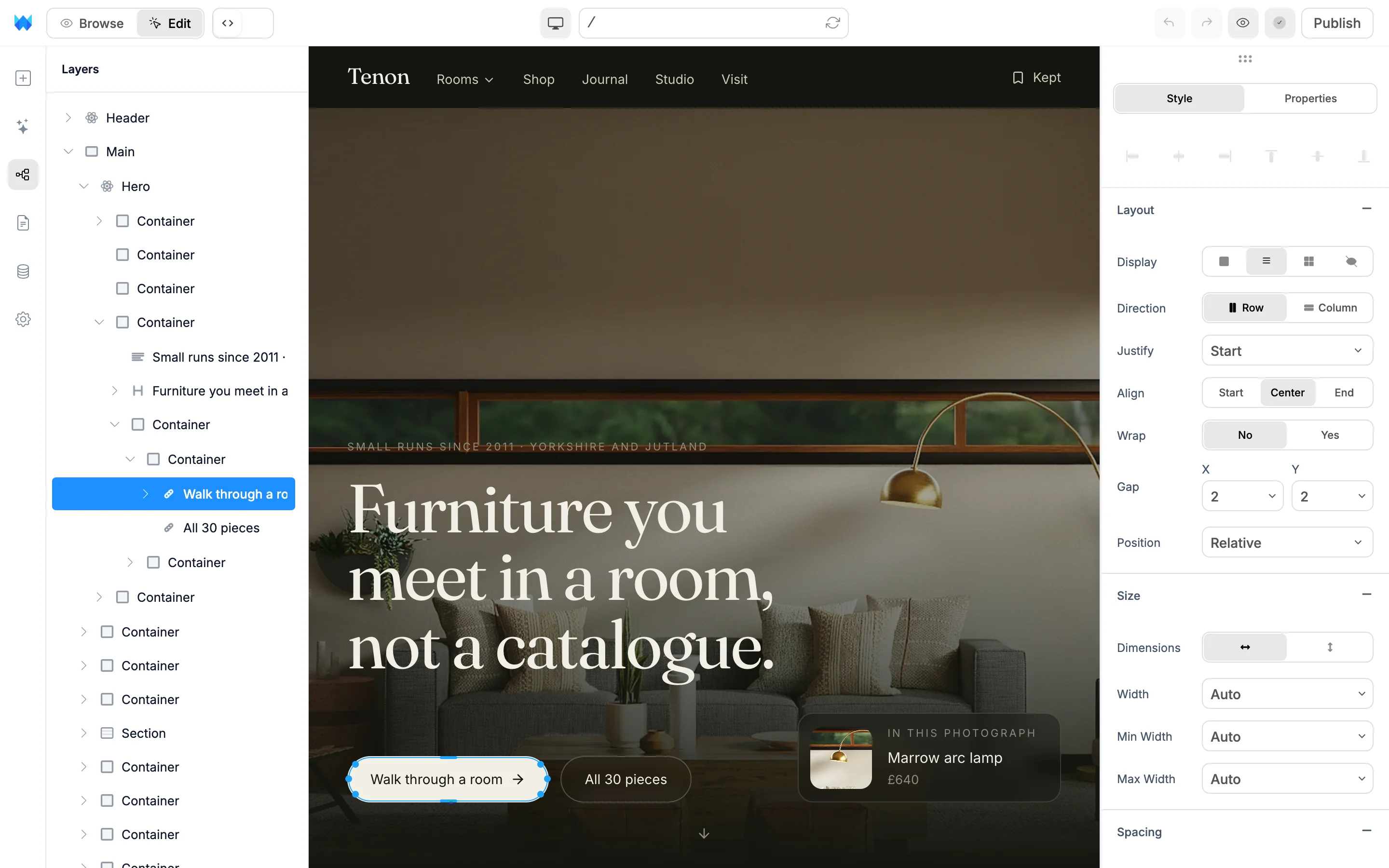 LayersClick anythingEdit panel
AI chat
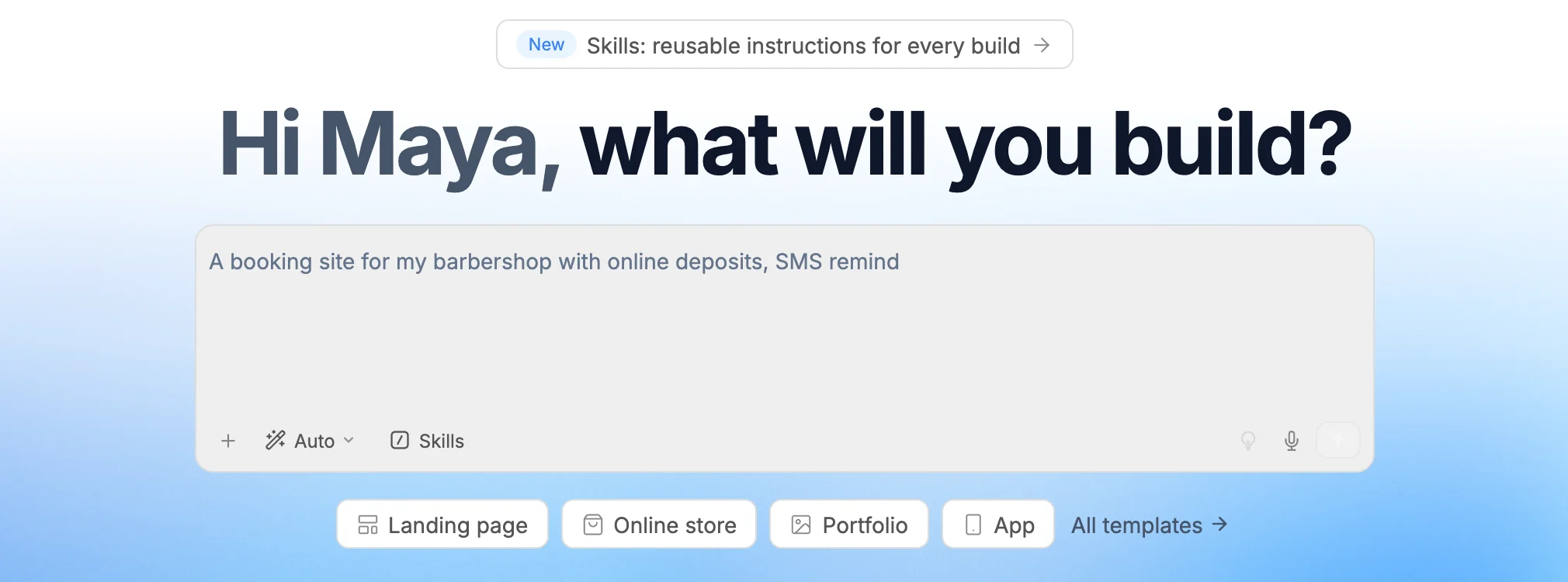
Describe it. Watch it get built.
Tell the AI what you need in plain language. It plans the pages and writes the code while you watch, and the preview updates as it goes. Or start from a template and tell it what to change.
- Pages, logins, data, payments
- Every change saved as a version
Visual editor
Click anything. Change it by hand.
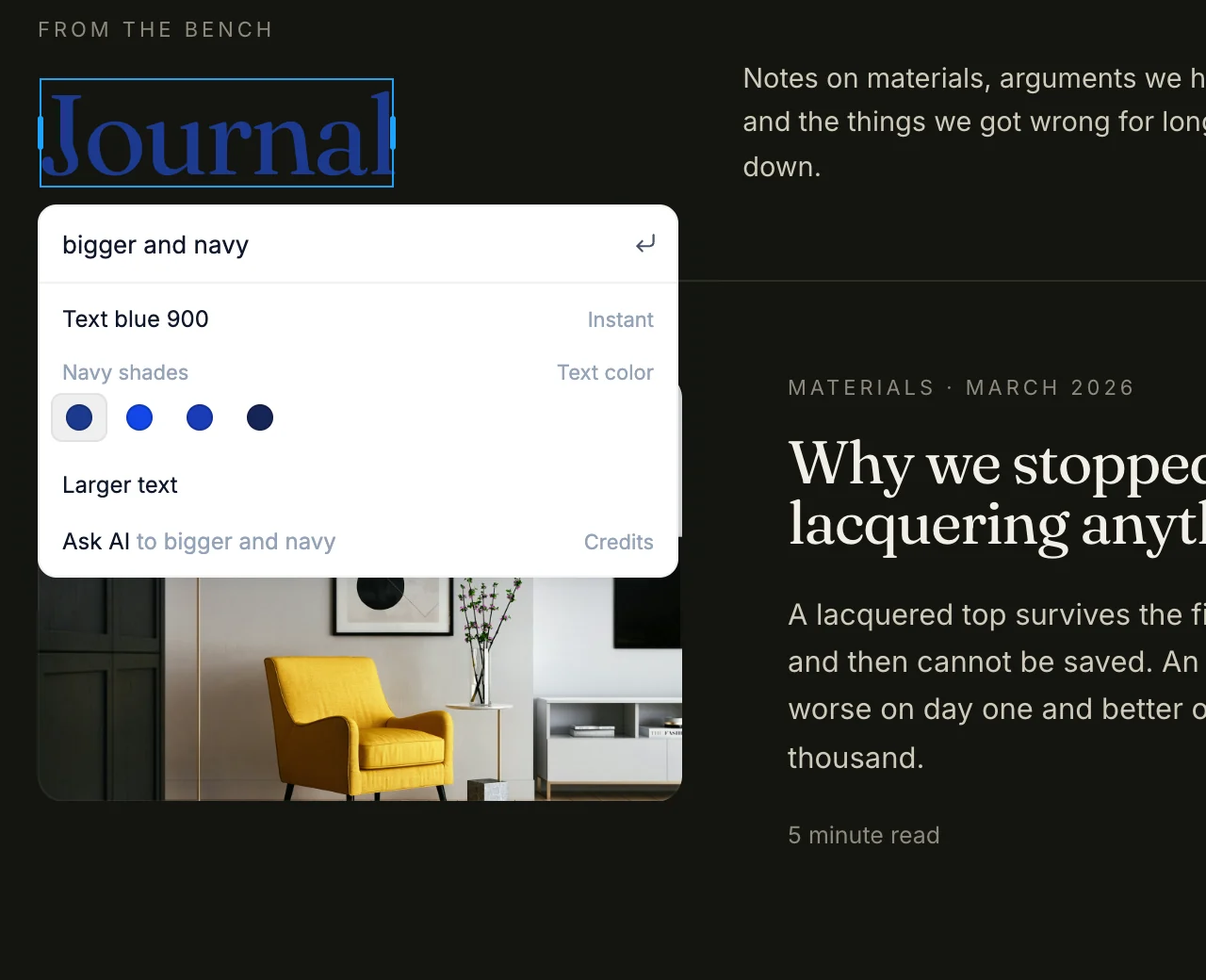
Double-click to rewrite text. Layout, type, color and spacing live in the edit panel. Press ⌘K for Edit with AI, which previews each option on the page before you pick it.
- No prompt needed
- Written back to the code
Version history
Go back to any version.
Every stretch of work is saved as a version. Look at any of them on the canvas, see which files changed, name the ones that matter and bring one back.
Version history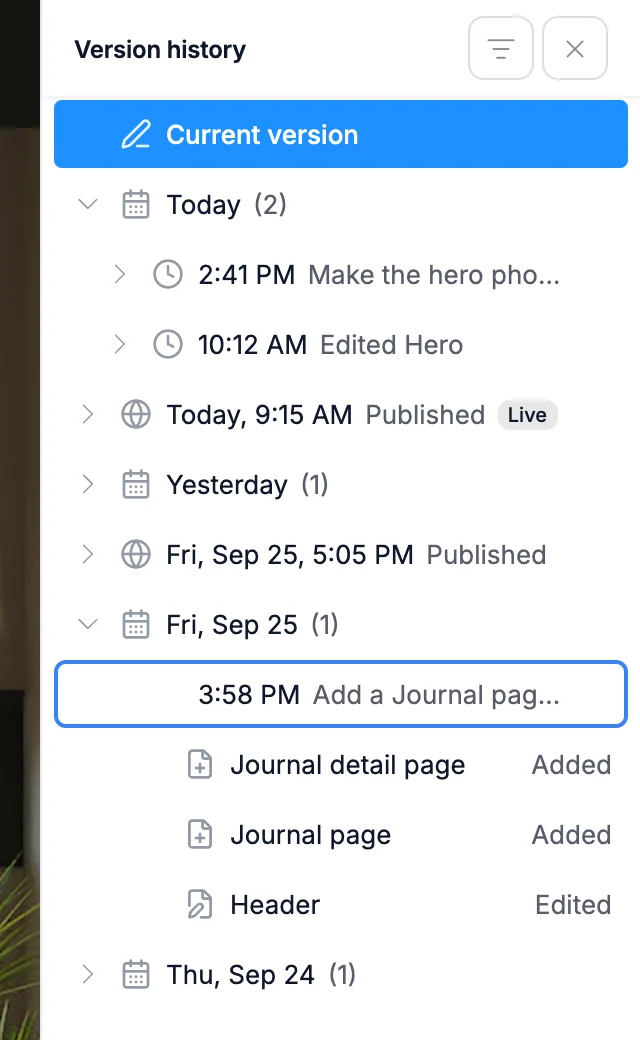
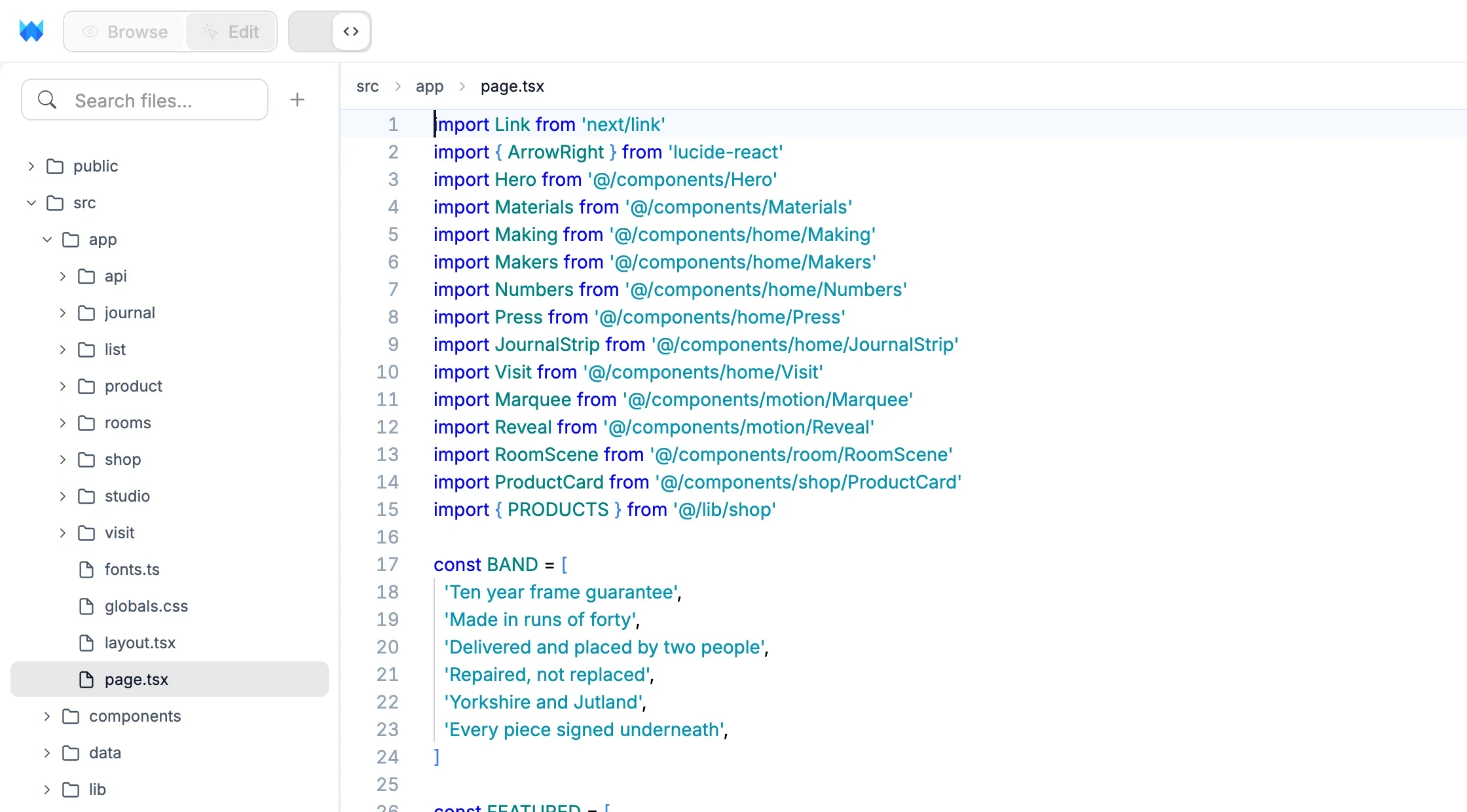
Code
Real code underneath. Always.
Every project is real code you own. Connect GitHub to keep a copy in your own repository. On a paid plan, open the code editor to edit or download it.
- Code you own
- GitHub sync
- Download on paid plans
Data
Your database, inside the builder.
Keep content in collections inside your project, or connect Supabase, Postgres, MySQL, MongoDB or Google Sheets and edit rows right in the Data panel.
Data and CMS Supabase
 Postgres
 MySQL
MySQL MongoDB
 Google Sheets
- { }Collections
Connectors
Plug in the tools you already use.
Connect an account once and use it in any project, with a sign-in or an API key. The AI reads them as it works.
 SupabaseDatabase, auth and storage
 Google SheetsA spreadsheet as your data
 StripePayments and subscriptions
 Google AnalyticsTraffic for your live site
 PostHogProduct analytics and replays
 SentryError monitoring
 ResendTransactional email
 LoopsMarketing and lifecycle email
 IntercomLive chat and help desk
 OpenAIGPT models in your app
 AnthropicClaude in your app
 GitHubYour code in your own repo
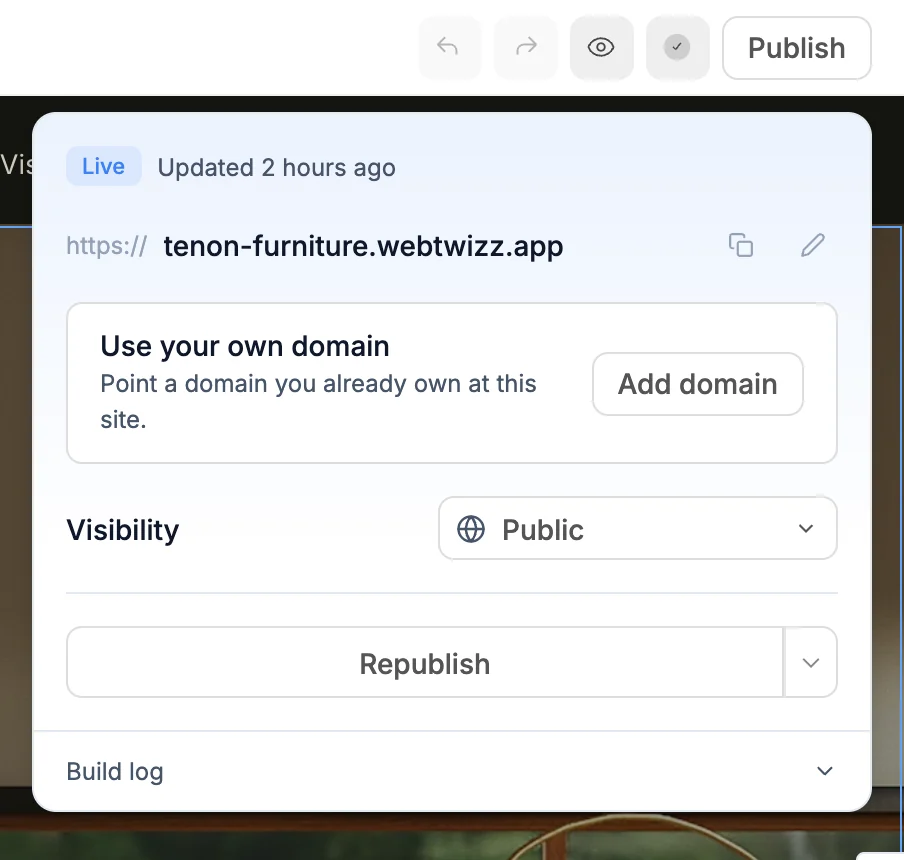
Publish
One click to live.
Your site goes live on a free webtwizz.app address. On a paid plan, connect your own domain. Keep it public, share it with a password, or invite only the people you choose.
Questions about credits, plans or limits? Read the FAQ.