Skills
A skill is a reusable set of instructions the AI follows for a particular kind of job: building a dashboard, writing sharper copy, wiring up auth, keeping a design accessible. Teach it once and it applies everywhere, instead of you re-explaining the same preferences in every prompt.
Open Skills under Library in the dashboard sidebar.
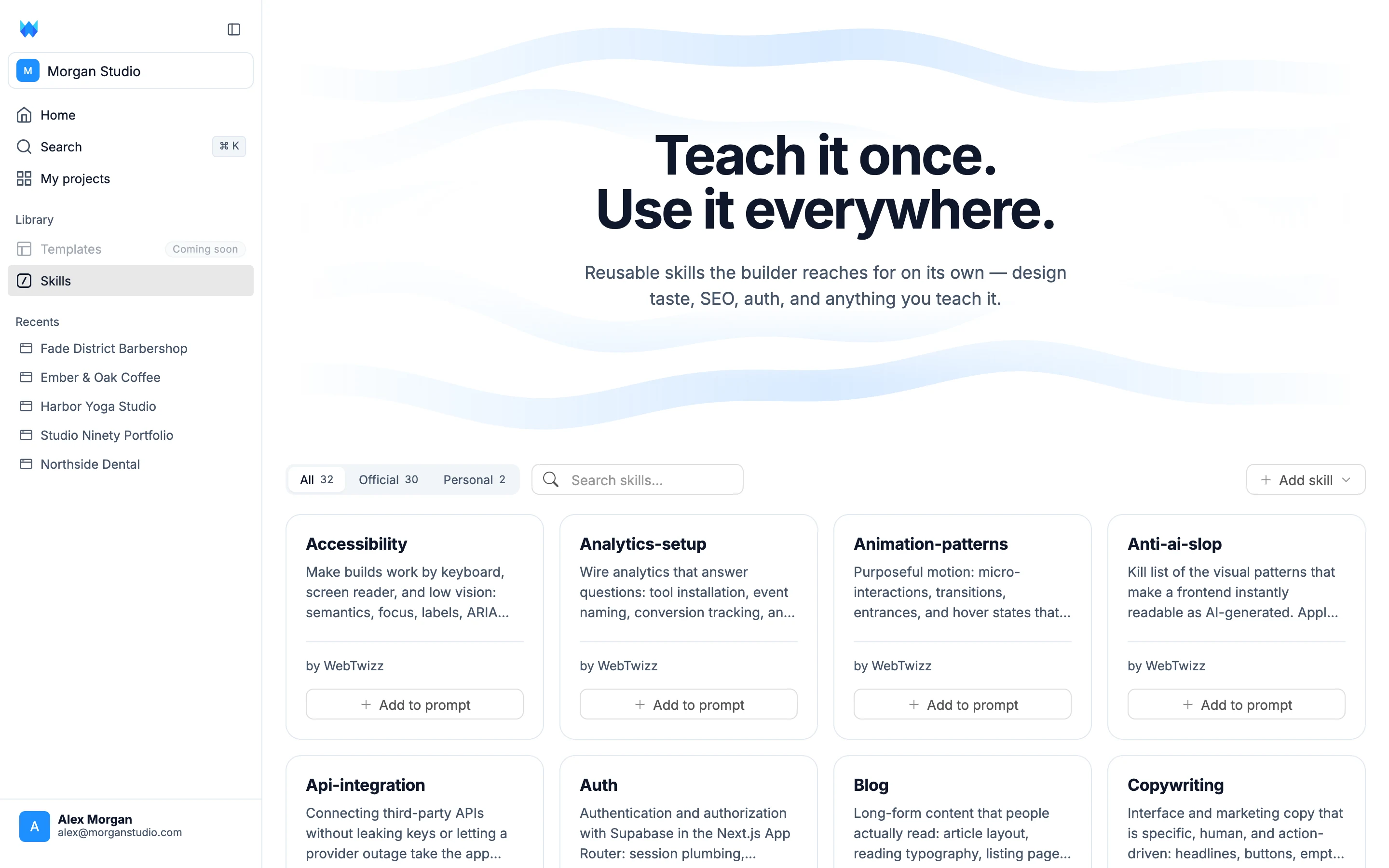
The library
Skills are filtered by three tabs:
- All - everything available to you
- Official - the 30 skills WebTwizz ships and maintains, covering accessibility, analytics setup, animation patterns, API integration, auth, blogs, copywriting, dark mode, dashboards, data tables, database schema and more
- Personal - the skills you or your team have written, shared across your workspace
Use the search box to filter by name. Each card shows the skill's name, a short description of what it does, and who wrote it.
Using a skill
There are two ways to put a skill to work.
From the library, click Add to prompt on any card. That takes you to the prompt box with the skill already attached, ready for you to describe what you want.
From the chat, type / in the prompt box to open the skill menu. Start typing to filter, then pick one and it drops into your message as a pill. Skills you've already attached are hidden from the menu, so you can't add the same one twice.
You can attach up to 4 skills to a single message. The AI reads them alongside your prompt and follows them while it builds.
Writing your own
Click Add skill in the top right for three options:
- Create with WebTwizz - describe what the skill should do and the AI writes it for you, in a fresh project so you can iterate on it
- Write skill - write it yourself in the editor
- Upload skill - bring in a skill you already have as a file
A good skill is specific about the outcome you want and the mistakes to avoid, in the way you'd brief a new contractor. Vague skills produce vague results.
Letting the AI manage them
The AI can create, edit and delete skills for you during a normal conversation. Ask it to remember how you like something done and it will write the skill, showing you a card in the chat with what it saved.
Deleting always asks you to confirm first, so nothing disappears without you agreeing to it.
Official skills are read-only. The AI can use them but never change them, so an edit can't quietly break a skill you rely on. Your own skills are yours to change or remove at any time.