Code editor
Every WebTwizz site is a real code project. The code editor lets you read and change its files directly.
Editing code, file versions and downloads are on paid plans. On the free plan you can see the file tree, but the code stays hidden and read-only.
Open the code editor
Click the code switch (the <> toggle next to Browse and Edit) in the toolbar. The file tree is on the left and the open file is on the right. Click the switch again to go back to the canvas.
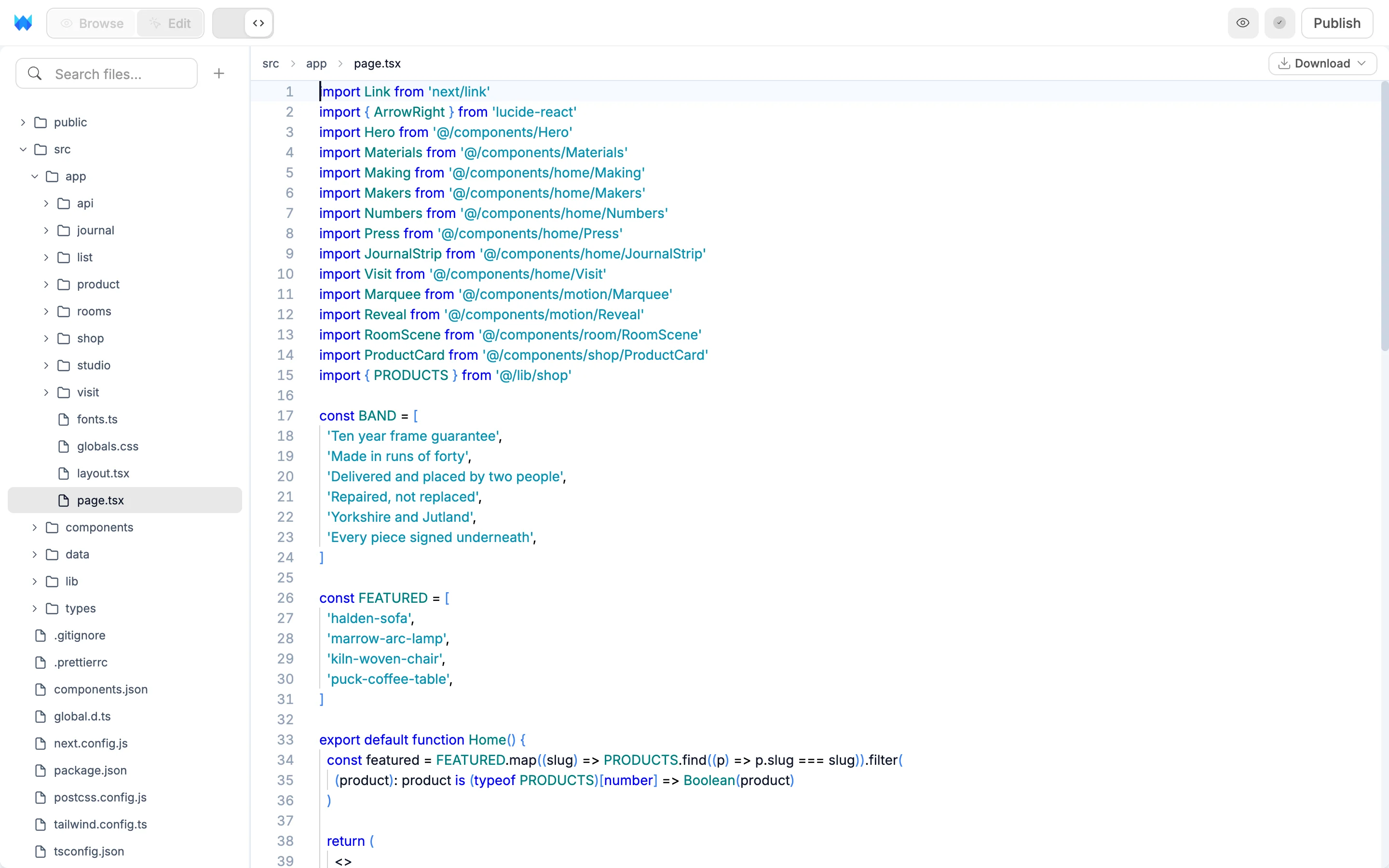
The code editor isn't available on phones.
Project structure
src/app/page.tsxis your home page. Each other page has its own folder undersrc/app/with apage.tsx.src/app/layout.tsxis the layout that wraps every page.src/app/globals.cssholds global styles and your theme.src/components/holds reusable components.src/lib/holds helper functions.src/data/holds data files.public/holds static files like images and fonts.
Edit files
Click a file to open it and start typing. Your changes reach the canvas a moment after you stop typing. Press ⌘S / Ctrl+S to save.
⌘Z/Ctrl+Zundoes typing and file changes like renames or deletes, in the order you made them.⌘-click (Mac) orCtrl-click (Windows) an import to open the file it points to.- Image files open as a preview.
Some files show a Read-only label because WebTwizz manages them: src/app/layout.tsx, next.config, tsconfig.json, the PostCSS and ESLint configs, .gitignore and src/types/cms.ts. Ask the AI if you need one of them changed.
Manage files
- Search files... at the top of the tree filters it by name.
- The + button adds a New File or New Folder.
- Right-click a file or folder for Rename, Duplicate, Copy, Paste and Delete. Folders also have New File and New Folder.
- Drag files and folders within the tree to move them.
- Drag files or folders from your computer onto the tree to upload them. If a name is taken, choose Replace, Keep Both or Cancel.
⌘-click (Mac) orCtrl-click (Windows) rows to select several, then right-click to act on all of them.
File versions
Right-click a file and hover File versions to see its saved versions, grouped by day. The newest is marked Current, and versions that went live are labeled with their published version.
Click a version to bring that file back. Only that file changes, and you can press ⌘Z / Ctrl+Z to undo it. Media and read-only files can't be restored this way.
To go back across the whole project, use version history.
Download your code
With a file open, click Download in the editor header:
- Download project saves the whole project as a zip file. You can run it on your own computer or host it anywhere.
- Download this file saves just the open file.
When no file is open, the Download Project button in the middle of the editor does the same as Download project.