Domains
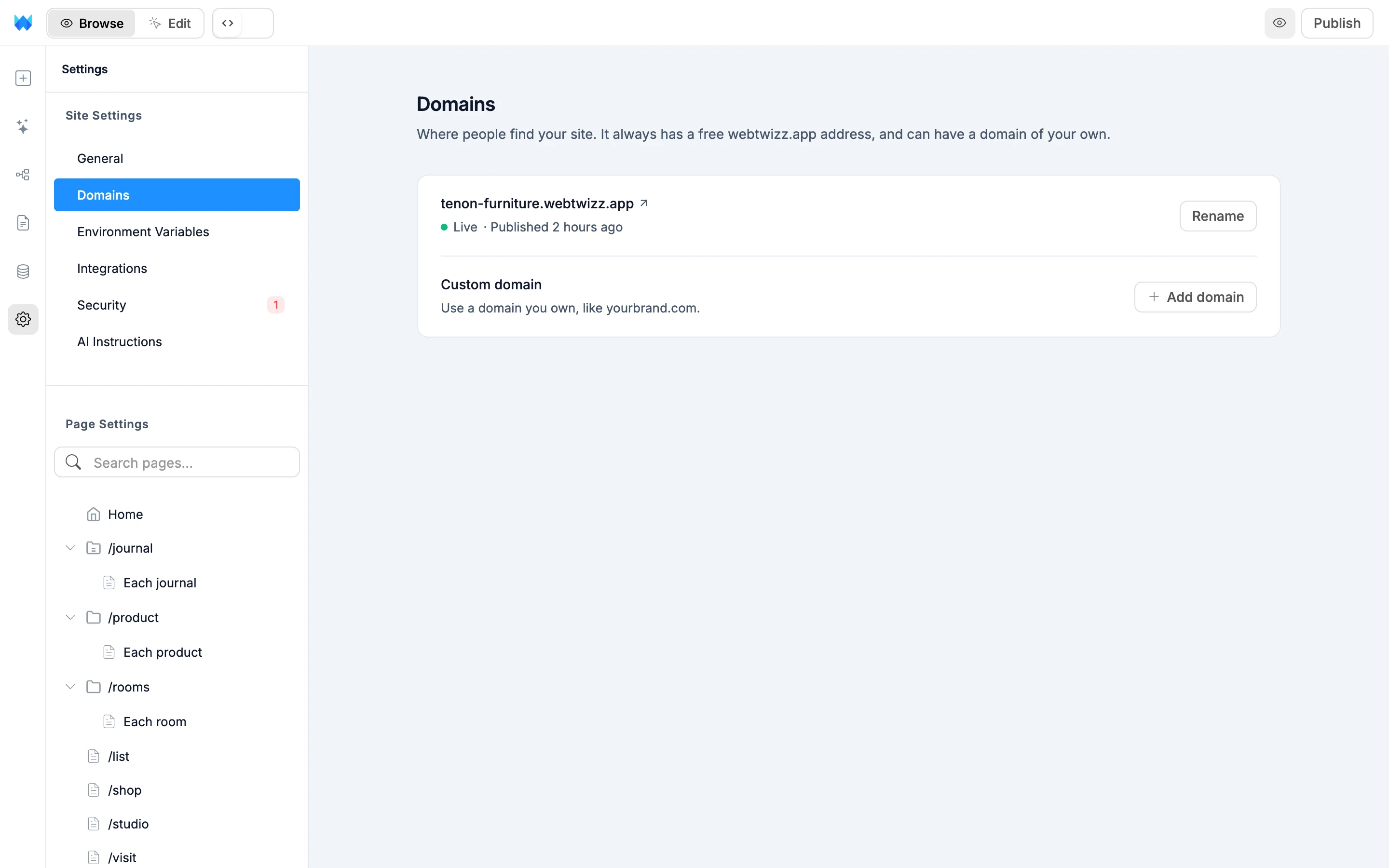
Settings > Domains is where people find your site. Every site has a free webtwizz.app address, and on a paid plan it can also have one domain of your own.
Your free webtwizz.app address
The first row shows your yourname.webtwizz.app address and what it's doing:
- Not published yet: your site goes live here when you publish. Click Publish on the row to do it now.
- Live: your site is published at this address. The row also shows when you last published. Click the address to open it.
- Redirects to yourbrand.com: your custom domain is live, so visitors to this address are sent there.
Renaming it
Click Rename and type a new name. Names use lowercase letters, numbers and dashes. As you type, the field shows Available or the reason a name can't be used: another site has it, it's reserved, or another site used it recently. Click Save or press Enter. Press Escape to cancel.
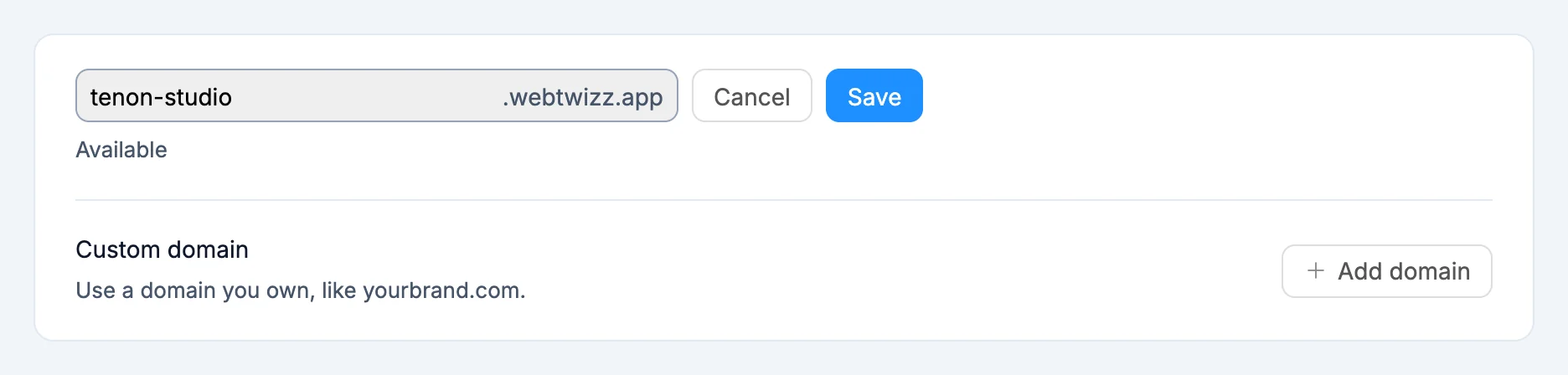
If your site isn't published yet, the name simply changes.
If your site is published:
- The row shows Switching to the new address for a moment while your site moves over.
- The old address keeps working for 30 days and redirects visitors to the new one. The row shows the date, for example "oldname.webtwizz.app redirects here until Oct 27."
- No other site can take your old name during those 30 days. After that it's released.
- If the switch fails, you keep your old address and the row tells you so. Try again in a minute.
Renaming is free on every plan.
Adding a custom domain
Paid PlanA site can have one custom domain. Buy the domain from any registrar first, then click Add domain on the Custom domain row. On the free plan the row reads "Custom domains are available on paid plans." with an Upgrade button.
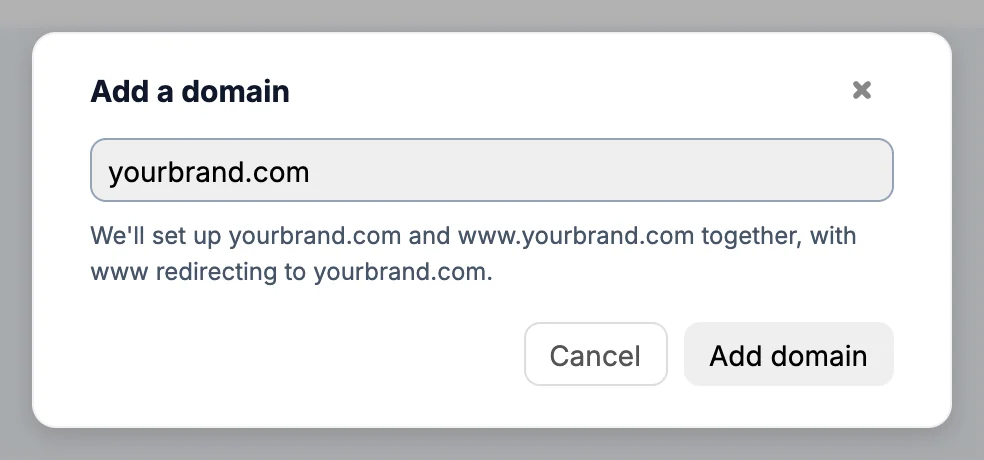
Type your domain and click Add domain. The hint under the field tells you what will be set up:
- A root domain like
yourbrand.com: WebTwizz sets upyourbrand.comandwww.yourbrand.comtogether, andwwwredirects toyourbrand.com. - A www domain like
www.yourbrand.com: both are set up together, andyourbrand.comredirects towww. - Any other subdomain like
shop.yourbrand.com: only that address is set up. Nothing else onyourbrand.comchanges.
The domain you type becomes your site's main address, and its partner redirects to it. A domain can only be on one WebTwizz site at a time. To switch to a different domain, remove the current one first.
Adding the DNS records
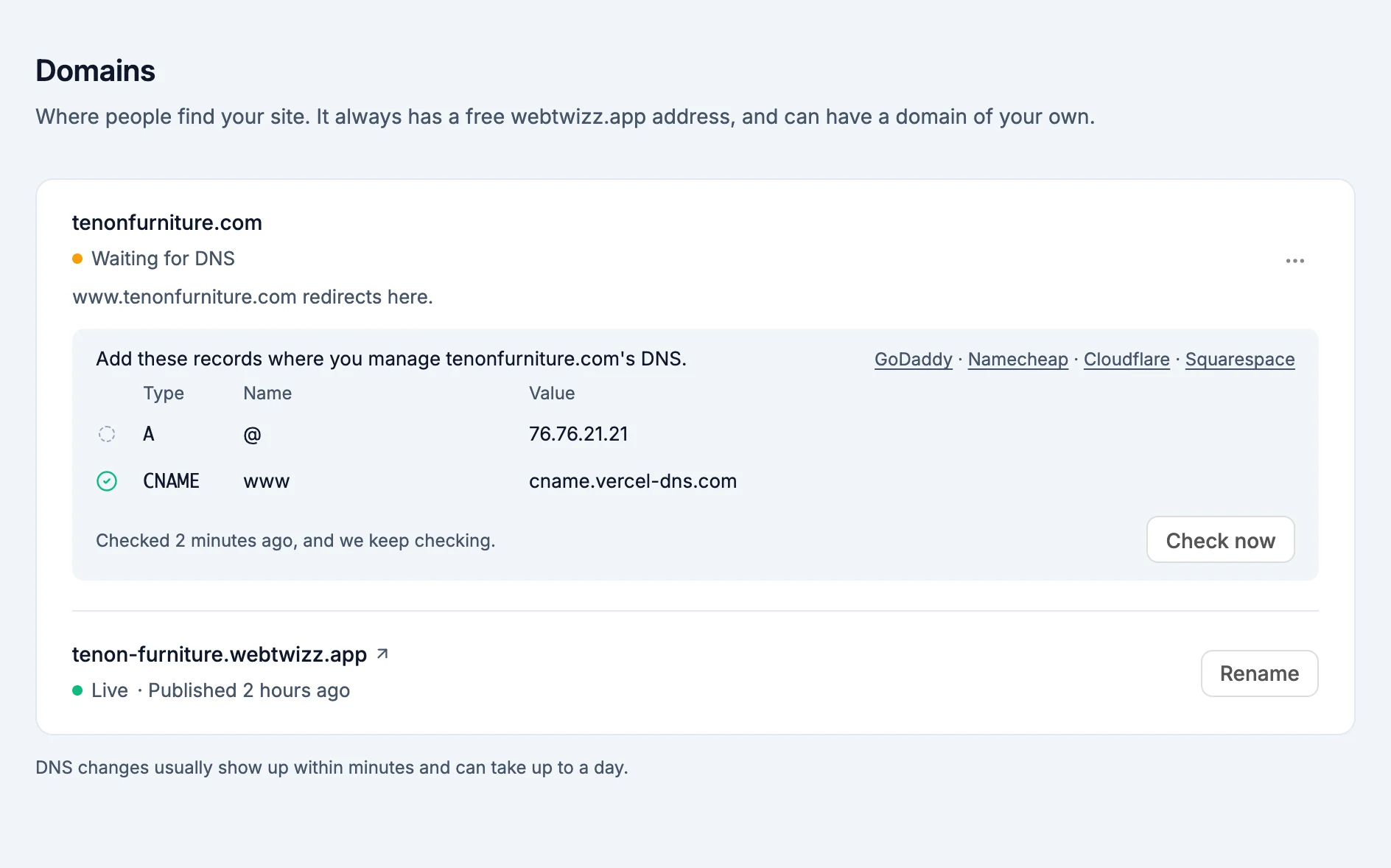
After you add a domain, the Connect yourbrand.com window lists the DNS records to add where you manage your domain's DNS, usually the registrar you bought it from. Links at the top go to the DNS help pages for GoDaddy, Namecheap, Cloudflare and Squarespace.
| Address | Record type | Name |
|---|---|---|
Root domain (yourbrand.com) | A | @ |
www or another subdomain | CNAME | www, or the subdomain's name |
Click any name or value to copy it. Always copy the values from this list, since they can differ between domains. When you add a root or www domain, the list has records for both.
Each record shows its state:
- A check mark: the record was found.
- A dashed circle: not found yet.
- A red line reading Right now it's ...: the record exists but points somewhere else. Replace that value with the one shown.
If your domain was used with another hosting account, a TXT record appears in the list too. Adding it proves the domain is yours.
If your DNS provider can proxy traffic, as Cloudflare does, set these records to DNS only.
You don't have to wait in the window. Click Finish later and the same records stay on the Domains page under your domain until setup is done. If you stay, the window changes to yourbrand.com is connected once every record is found.
Automatic checking
WebTwizz checks your DNS for you. The line under the records says when it last checked, for example "Checked 2 minutes ago, and we keep checking."
- While the Connect window is open, it checks every 10 seconds.
- While the Domains page is open, it checks every 30 seconds and again when you come back to the tab.
- In the background, a domain that isn't live yet is checked every 10 minutes during its first week, and every domain is checked once a day.
- Click Check now to check right away.
DNS changes usually show up within minutes and can take up to a day.
Domain statuses
| Status | What it means |
|---|---|
| Waiting for DNS | The records haven't been found yet. Add them, or wait for your changes to show up. |
| Setting up HTTPS | All records were found. WebTwizz is finishing the secure connection. |
| Waiting for ownership check | The domain is linked to another hosting account. Add the TXT record from the list. |
| Needs a fix | A record points somewhere else, or your DNS provider is proxying the domain. The row says exactly what to change. |
| Can't connect | The domain couldn't be connected, for example because another hosting project still has it. The row explains what to do. |
| Ready, goes live when you publish | Your DNS is set. Publish your site to go live on the domain. |
| Live | Your site loads at the domain, with HTTPS. |
Where your site goes live
Publishing always puts your site on your webtwizz.app address. Once you add a custom domain, its row sits at the top of the page. When it's Live, it becomes the main address:
- Its partner (
wwwor the root) redirects to it, and the row says so, for example "www.yourbrand.com redirects here." - Your
webtwizz.appaddress shows Redirects to yourbrand.com, and visitors who use it are sent to your domain.
Your sitemap and search tags use the main address from your next publish on, so publish again after your domain goes live.
A custom domain only goes live when your site is published. If you set up DNS before your first publish, the domain waits at Ready, goes live when you publish. If you unpublish, it goes back to that state and comes back when you publish again.
Click the More button (three dots) on your domain's row for these options:
- Copy link: copies your domain's address (once it's live).
- Check now: checks the DNS records right away.
- Show DNS records: shows the records again after setup is done.
- Remove domain: disconnects the domain.
Removing a domain
Choose Remove domain from the More menu and confirm. Your site stops loading at the domain, and at its www or root partner, right away. Your webtwizz.app address becomes the main address again. You can then add a different domain.
Plans
- The free
webtwizz.appaddress and renaming it: every plan. - One custom domain with its
wwwor root partner: paid plans. See Payments and billing.