Page settings
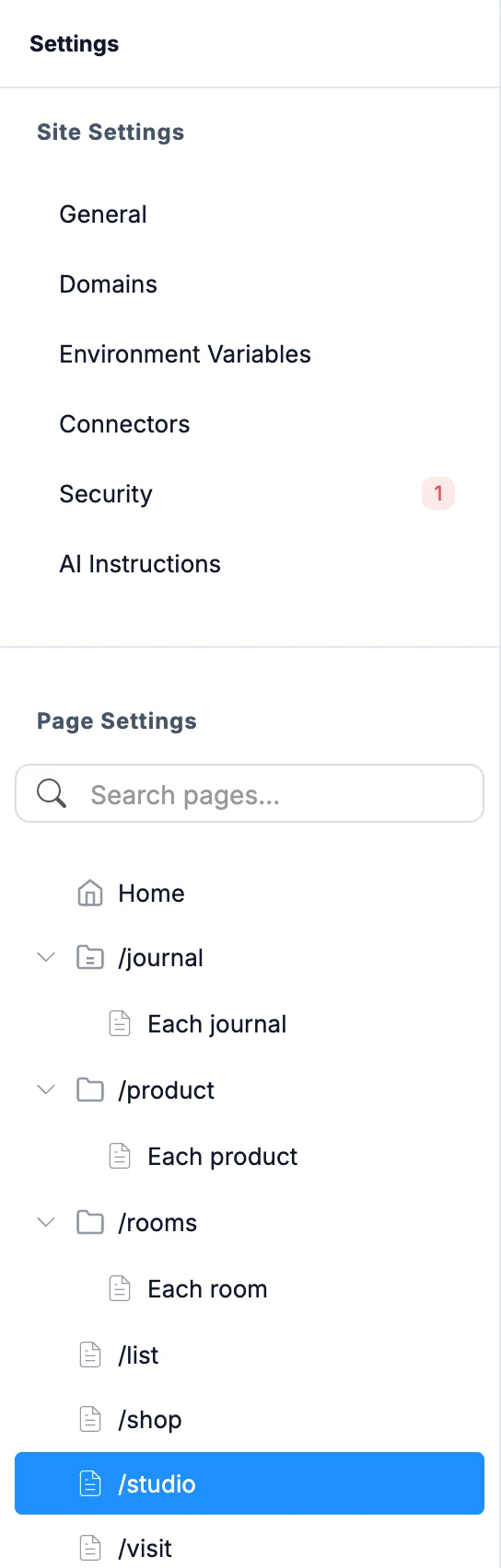
Every page has its own search settings. In Settings, the Page Settings list sits under the site sections in the sidebar. Search for a page or click one to open it.
Edits show the You have unsaved changes bar. Click Save changes to write them into the page's code, or Discard to drop them.
SEO
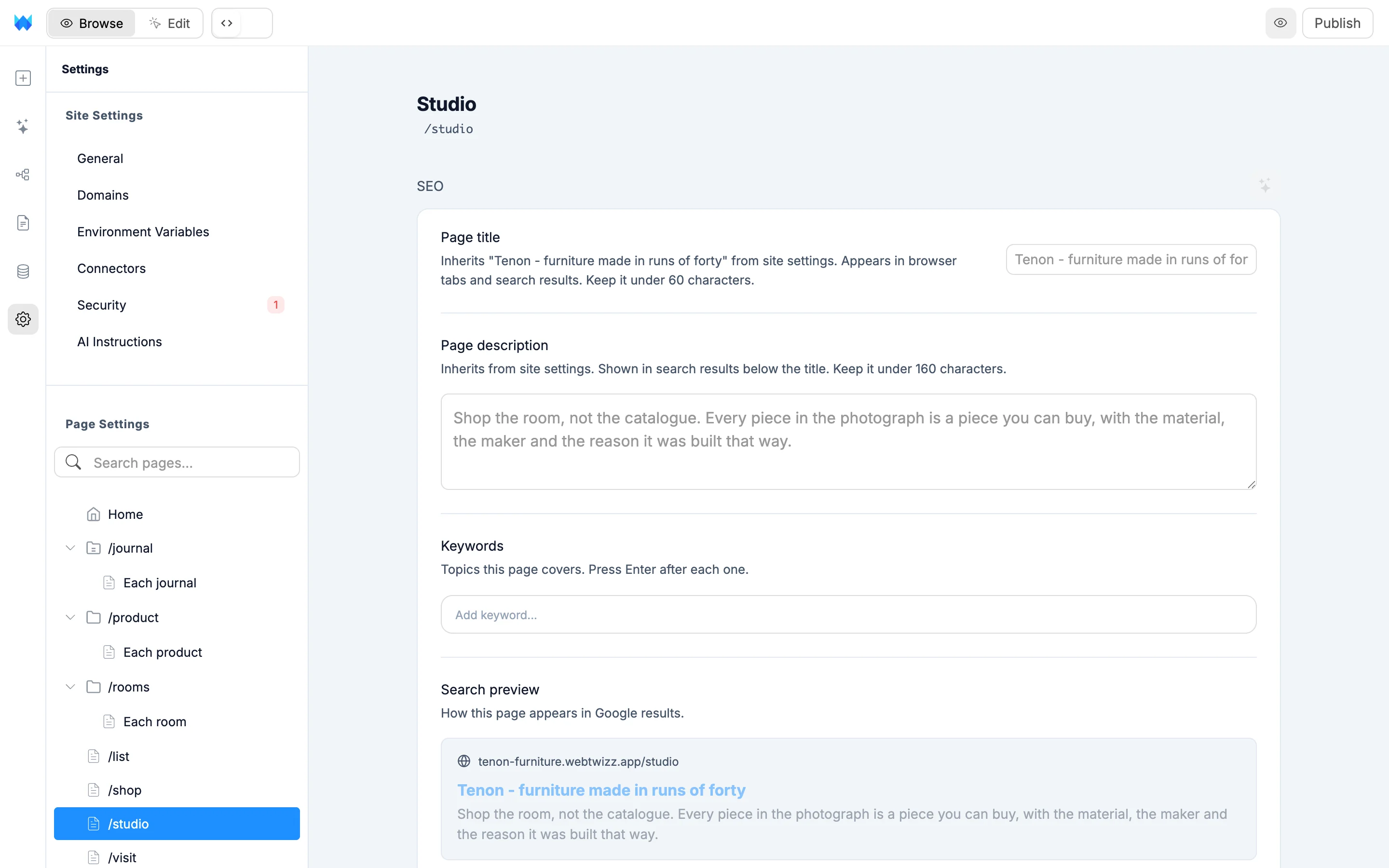
- Page title: appears in browser tabs and search results. Keep it under 60 characters. Left empty, the page uses the title from site settings.
- Page description: shown in search results below the title. Keep it under 160 characters. Left empty, the page uses the site description.
- Keywords: topics the page covers. Press Enter after each one.
- Search preview: shows how the page looks in a Google result.
The Improve SEO with AI button rewrites the title, description and keywords for you. Review the result, then save.
Visibility
Show in search results lets search engines like Google find and list the page. Turn it off for private or draft pages. A hidden page is also left out of your sitemap.
Pages with one entry per item
Some pages are a template that shows one item at a time, like a blog post at /blog/{slug}. The header says so, for example "One page for each post". Each item gets its own entry in your sitemap when you publish. Until you set a title, every post shares the site title.
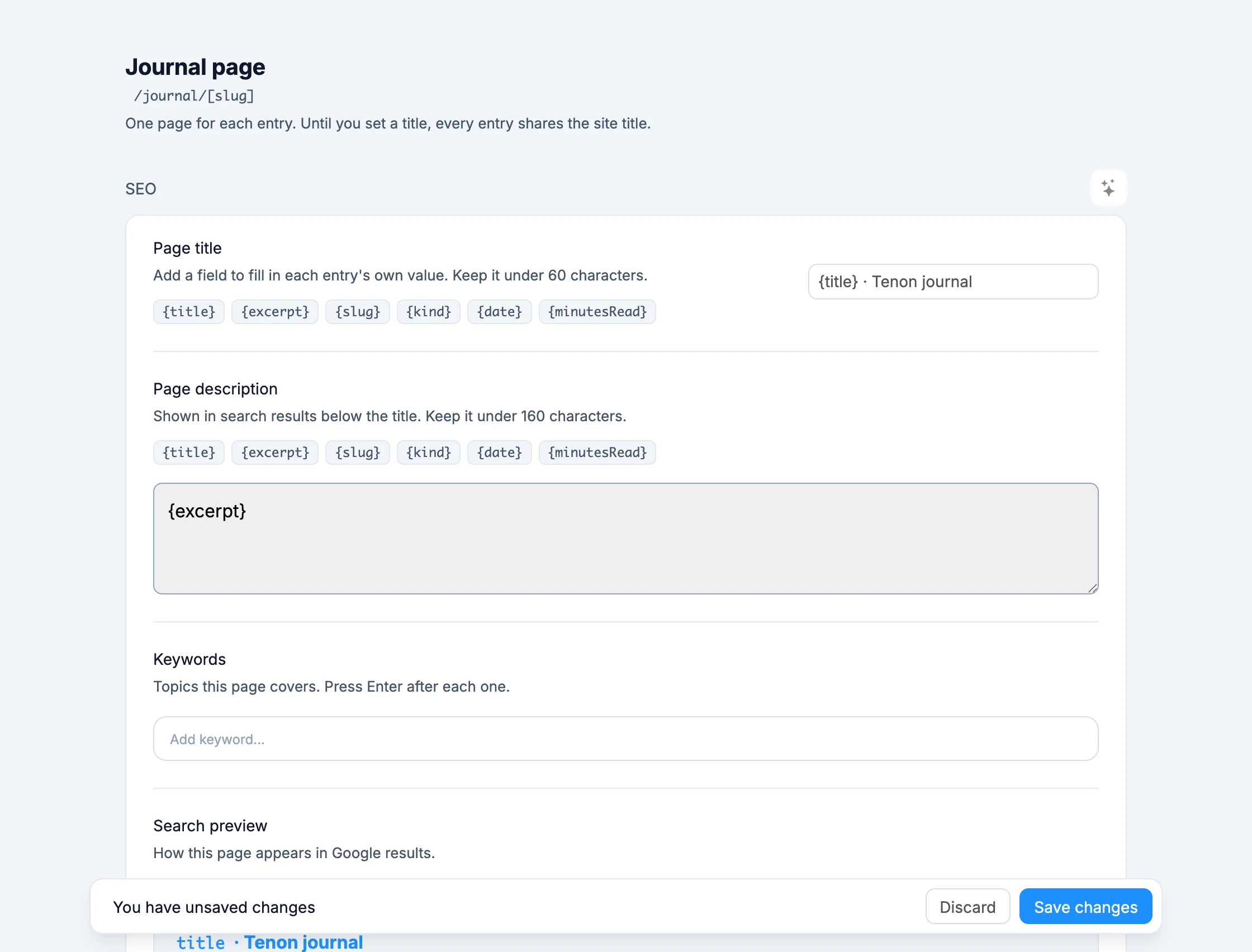
Chips such as {title} appear under the title and description. Click one to insert it, and each item fills in its own value. A title like {title} · Your Blog gives every post its own title in search results.
Pages you can't edit here
Some pages show a note instead of the fields:
- Fully interactive pages can't carry SEO settings, so they use your site settings. Ask the AI to move the interactive parts into a component, and the page's settings open up.
- Pages that build their SEO settings in code have to be changed in the page's code. You can also ask the AI to change them.