Security
Settings > Security checks the packages your site uses against a public database of known security problems and lists any it finds. When there are critical issues, a red count appears next to Security in the Settings sidebar.
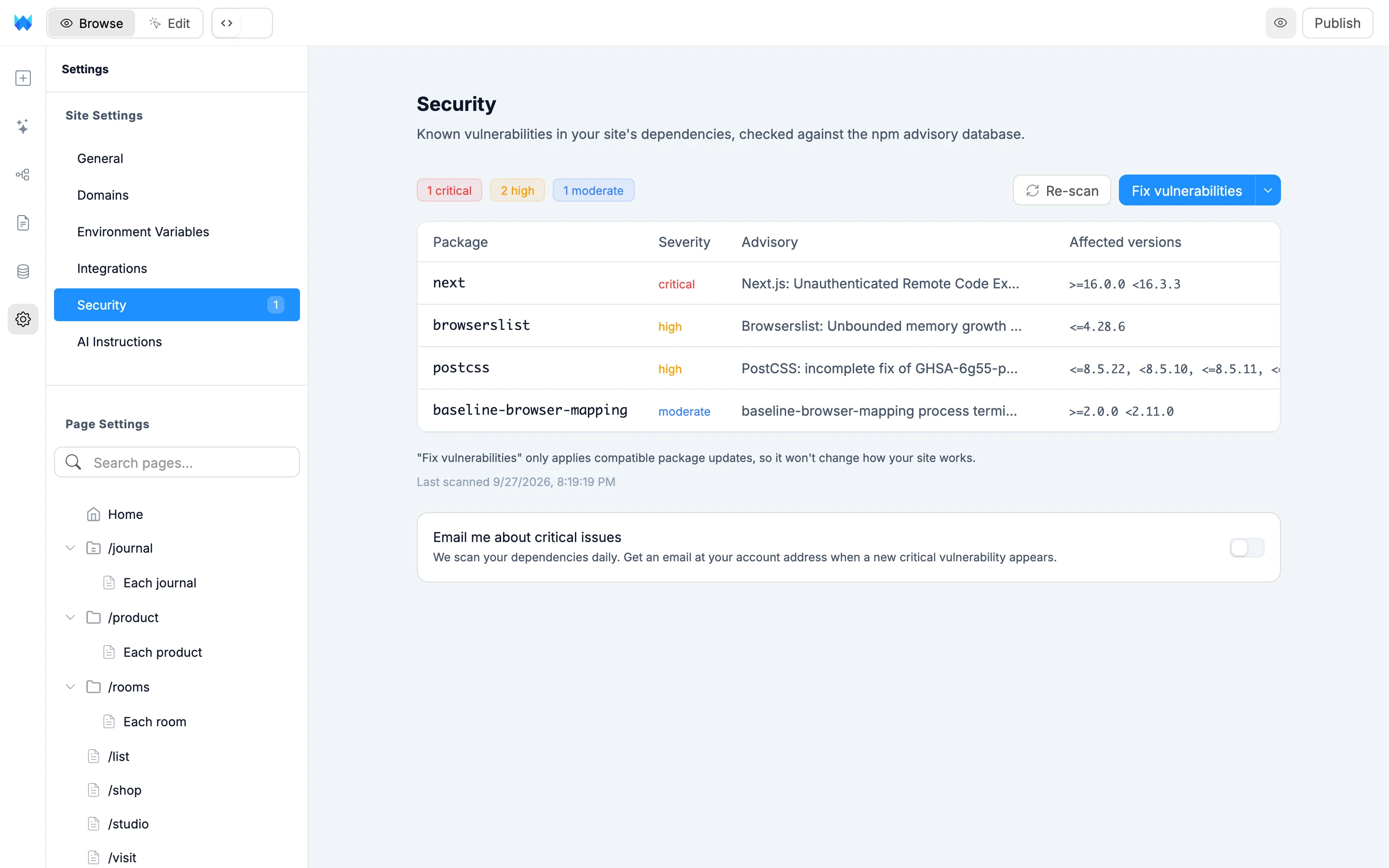
The first scan maps your dependencies and takes a moment. You'll see Setting up your first security scan while it runs. Later scans are instant.
Reading the report
Each row shows the Package, its Severity, the Advisory (click it to read the full advisory) and the Affected versions. Rows are sorted from most to least severe.
The pills above the table show how many issues there are at each severity: critical, high, moderate and low. Click a pill to show only that severity, and click it again to clear the filter.
Last scanned under the table shows when the report was made. Click Re-scan to check again.
When nothing is found, you'll see All of your site's dependencies are clear of published advisories.
Fixing vulnerabilities
Click Fix vulnerabilities to apply compatible package updates. These don't change how your site works. A message tells you how many issues were fixed and how many need bigger upgrades.
For the rest, open the arrow next to the button and choose Fix with AI (uses credits). This sends the full report to the AI chat, and the AI upgrades each package where it can. Some packages come bundled with your site's framework and can't be patched from your project, and the AI tells you which ones those are.
Email alerts
Published sites are scanned every day. Turn on Email me about critical issues to get an email at your account address when a new critical vulnerability appears.