AI instructions
Settings > AI Instructions holds standing guidance the AI reads on every message in this project. Use it for anything you'd otherwise repeat in every chat.
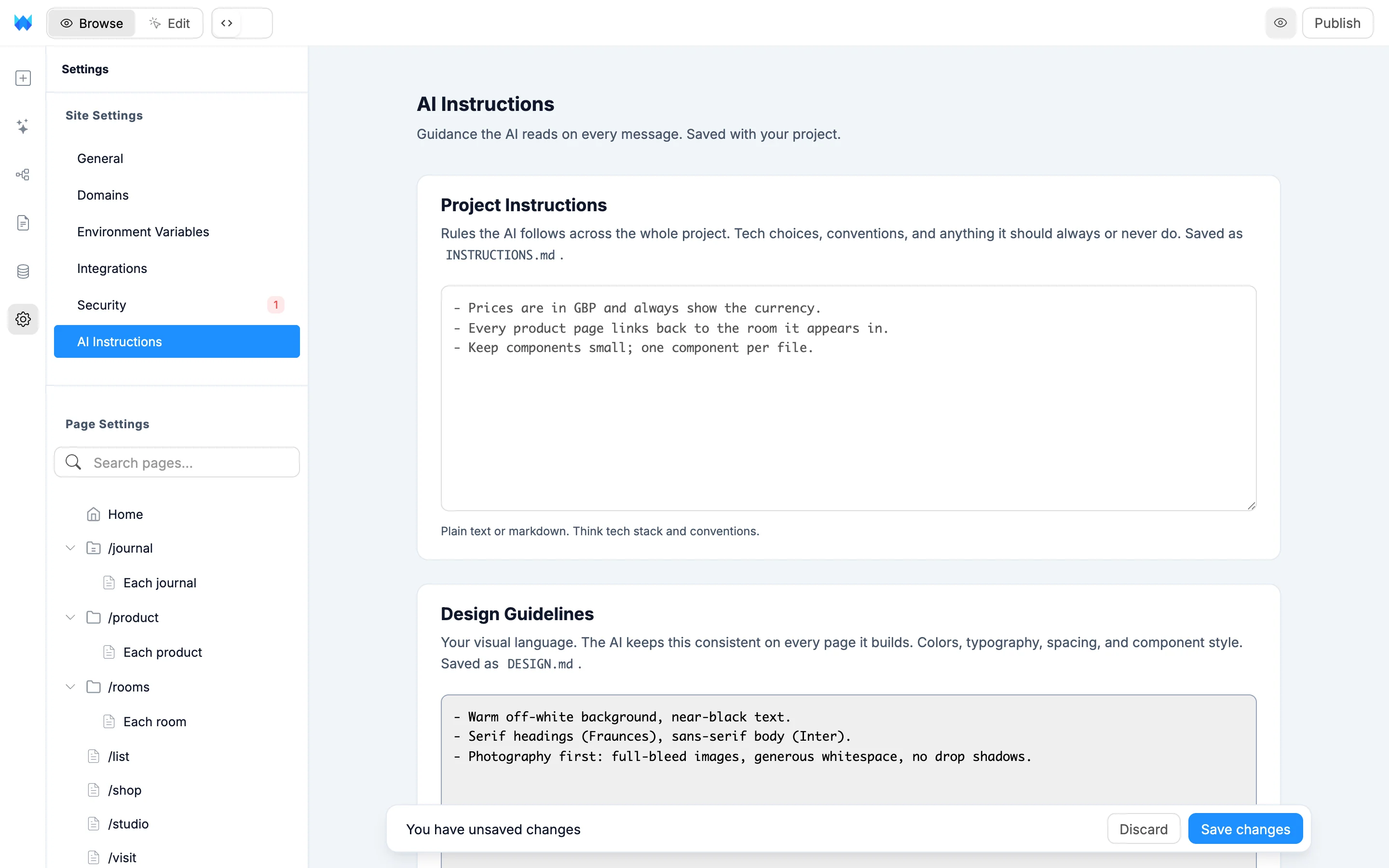
There are two boxes. Both take plain text or markdown.
Project instructions
Rules the AI follows across the whole project: tech choices, conventions, and anything it should always or never do. For example:
- Always use Supabase for the database
- TypeScript everywhere, no any
- Keep components small and focused
Saved in your project as INSTRUCTIONS.md.
Design guidelines
Your visual language: colors, typography, spacing and component style. The AI keeps these consistent on every page it builds. For example:
- Primary color #4F46E5, near-black text on white
- Font Inter, tight letter-spacing on headings
- Rounded-xl cards, soft shadows, generous whitespace
Saved in your project as DESIGN.md.
Saving
Edits show the You have unsaved changes bar. Click Save changes to save, or Discard to go back. The AI uses the saved version from your next message on.
The AI never edits these files itself, even if you ask it to. When you want it to remember a rule or a design choice, add it here.
Plans
Custom AI instructions are available on paid plans. On the free plan the boxes are read-only and the AI doesn't use them. Click Upgrade on the page to see the plans, or read Payments and billing.